Homepage & Blog Settings
Configure your homepage and blog page to define how content is displayed on your website. The Supervisor theme provides several homepage layouts that can be selected without creating additional pages.
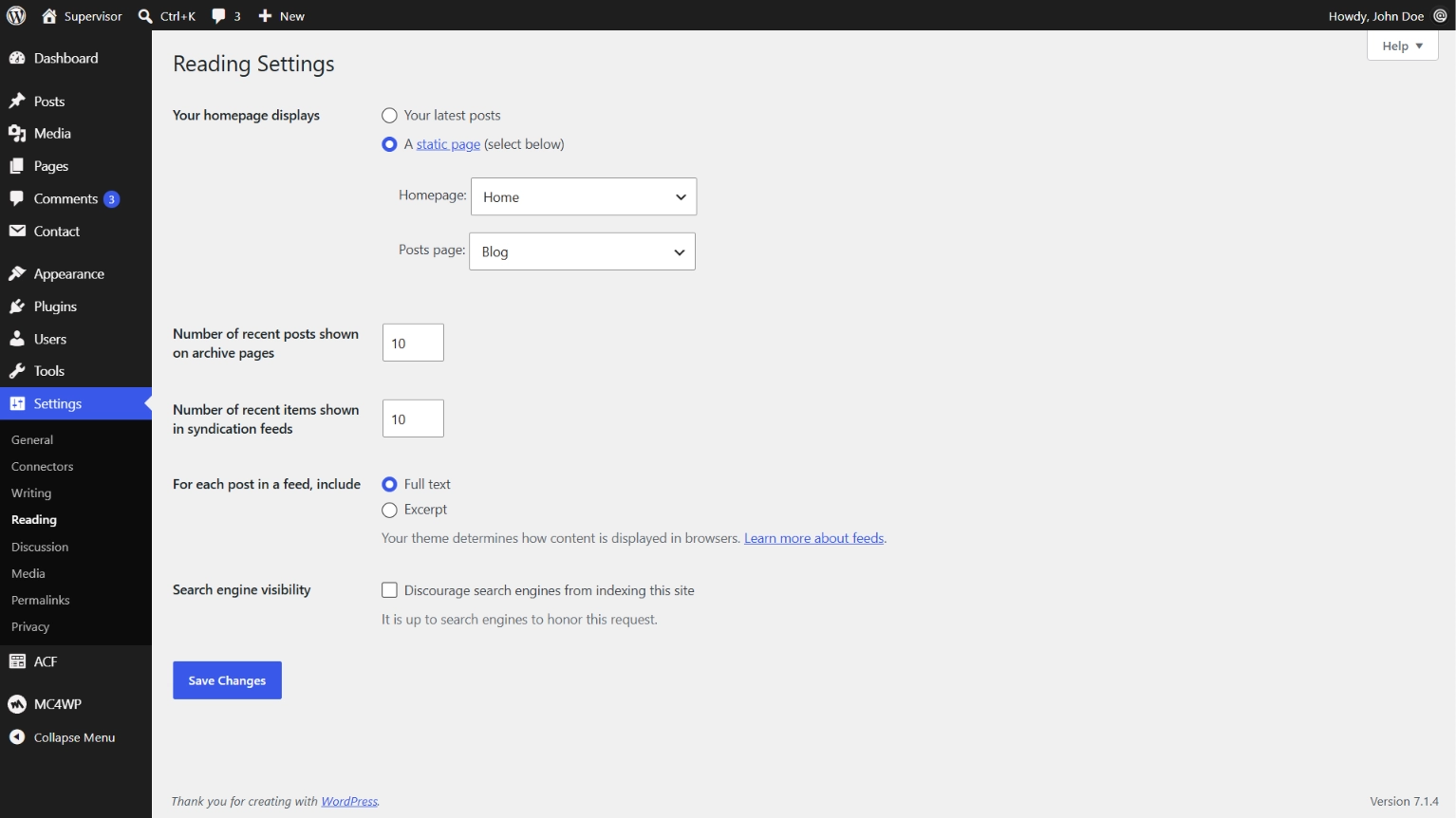
To configure your site's homepage and posts page, navigate to Settings → Reading. Under Your homepage displays, select A static page (select below). Then set Homepage to Home and Posts page to Blog. Finally, click Save Changes to apply the settings (see Picture 1).
The Home Two, Home Three, Home Four, and Home Five pages are optional and do not need to be created separately. To change the homepage layout, edit the Home page and select the desired template from the page settings.
The five homepage layouts differ in their hero sections and main Query Loop blocks. However, you can customize the homepage template to suit your preferences using the Site Editor.