Displaying Posts with Query Loops
The Supervisor theme includes several Query Loop patterns for displaying posts on the homepage and archive pages. These patterns provide different grid layouts and post loading options, allowing you to choose how posts are presented.
The following patterns are available for the homepage:
- RLT Home Query Loop with Pagination 2-Column Cards
- RLT Home Query Loop with Load More 2-Column Cards
- RLT Home Query Loop with Pagination 3-Column Cards
- RLT Home Query Loop with Load More 3-Column Cards
- RLT Home Query Loop with Pagination 1-Column Tiles
- RLT Home Query Loop with Load More 1-Column Tiles
The patterns differ in their column layout and post loading method. Pagination divides posts into numbered pages, allowing visitors to navigate between them. Load More adds a button below the posts that loads additional content without navigating to another page.
For archive pages, including All Archives, Author Archives, and other archive templates, the theme provides the following pattern:
- RLT Archive Query Loop with Pagination 3-Column Cards
The theme also includes additional Query Loop patterns for displaying posts in sidebars and on single post pages:
-
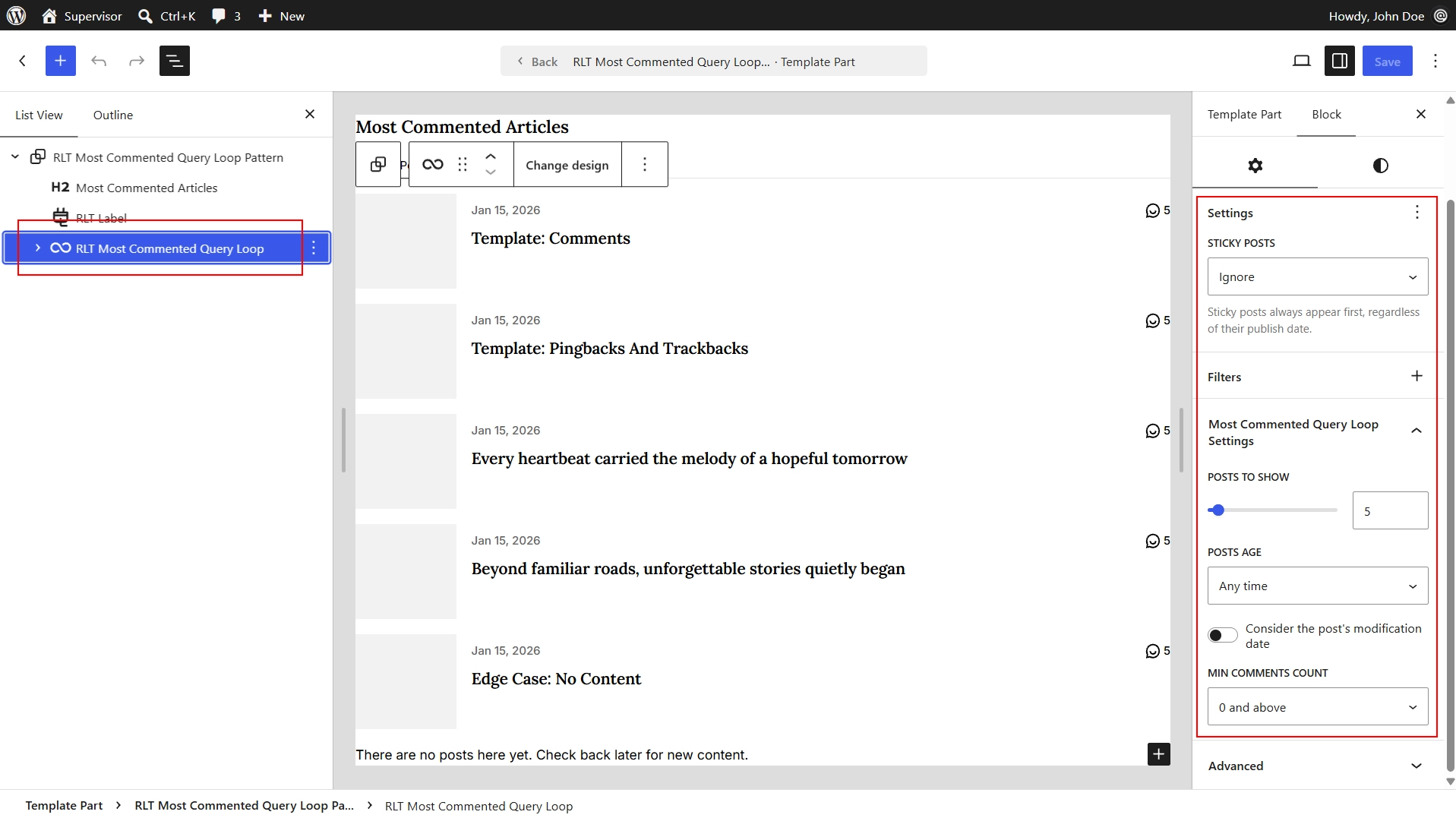
RLT Most Commented Query Loop Pattern — displays posts with the highest number of comments, helping visitors discover actively discussed content.
-
RLT Most Recent Query Loop Pattern — displays the latest published posts, providing quick access to recently added content.
-
RLT Next Posts Query Loop Pattern — displays other posts that visitors can explore after reading the current post, encouraging them to continue browsing the website.
The RLT Most Commented Query Loop and RLT Next Posts Query Loop are custom variations of the standard WordPress Query Loop block. They provide additional query settings for specific post selection criteria.
To configure the RLT Most Commented Query Loop, select the Query Loop block and open its settings in the editor sidebar. You can specify the minimum number of comments a post must have to be included in the results, as well as the date range used to filter eligible posts. This allows you to display the most discussed posts within a selected period.