Mega Menu
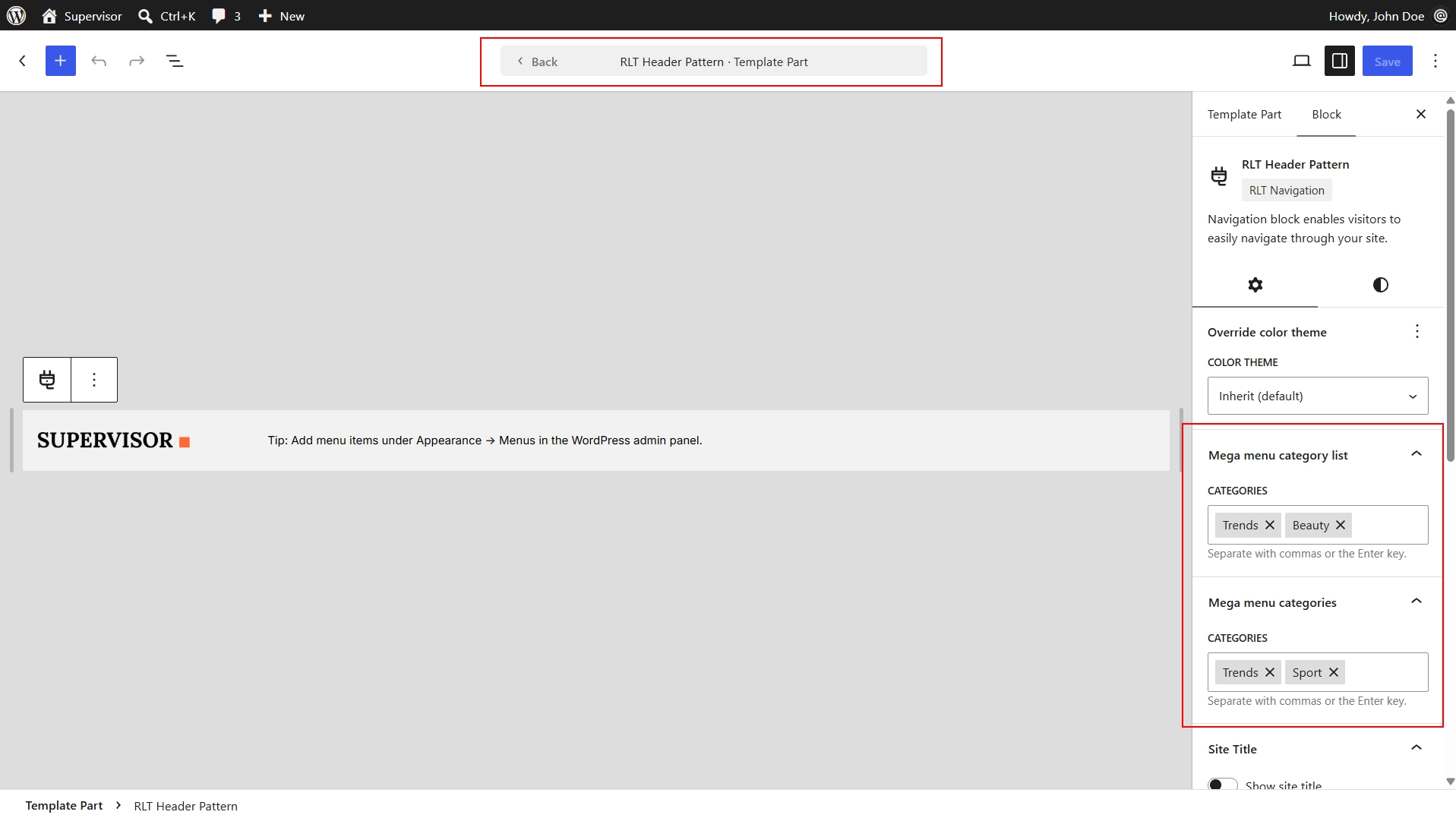
The Supervisor theme includes a category-based mega menu that displays selected categories and the latest posts from those categories. Both the category list and the posts displayed in the mega menu can be configured in the Site Editor through the RLT Navigation block settings.
To display selected categories in the Categories menu item, select the RLT Navigation block in the Site Editor and locate the Mega menu category list section in the block settings sidebar. Enter up to five category names in the Categories field. Separate multiple category names with commas or press Enter after each entry.
To display the four latest posts from selected categories in the mega menu, locate the Mega menu categories section in the same settings sidebar. Enter the desired category names in the Categories field, using commas or the Enter key to separate them. The mega menu will then display the four latest posts from the selected categories.