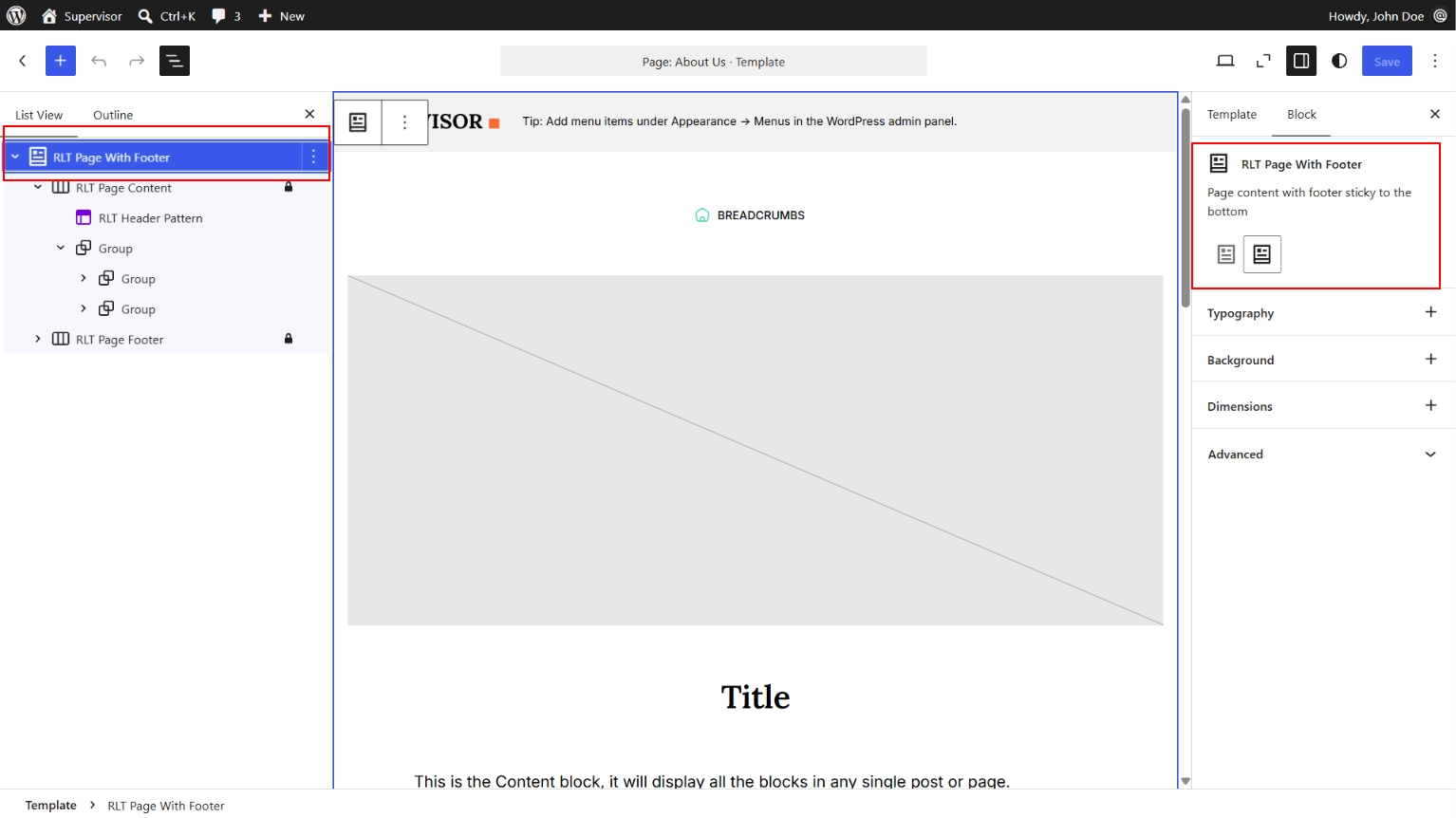
RLT Page Block (Page Layout)
When creating a template, always start by adding the RLT Page block. It provides the main page container and handles essential layout functionality, including keeping the footer at the bottom of the screen.
The RLT Page block is available in two variations: RLT Page With Footer and RLT Page Without Footer. Choose the appropriate variation depending on whether the template should display the site footer. This block serves as the outermost container for the page content and helps maintain a consistent layout regardless of the amount of content.
In addition to managing the page layout, the block provides extra functionality, such as a Back to Top button that allows visitors to quickly return to the beginning of the page.
Always add one of the RLT Page block variations as the first block when building a template. Place your main content inside RLT Page Content and footer elements inside RLT Page Footer.