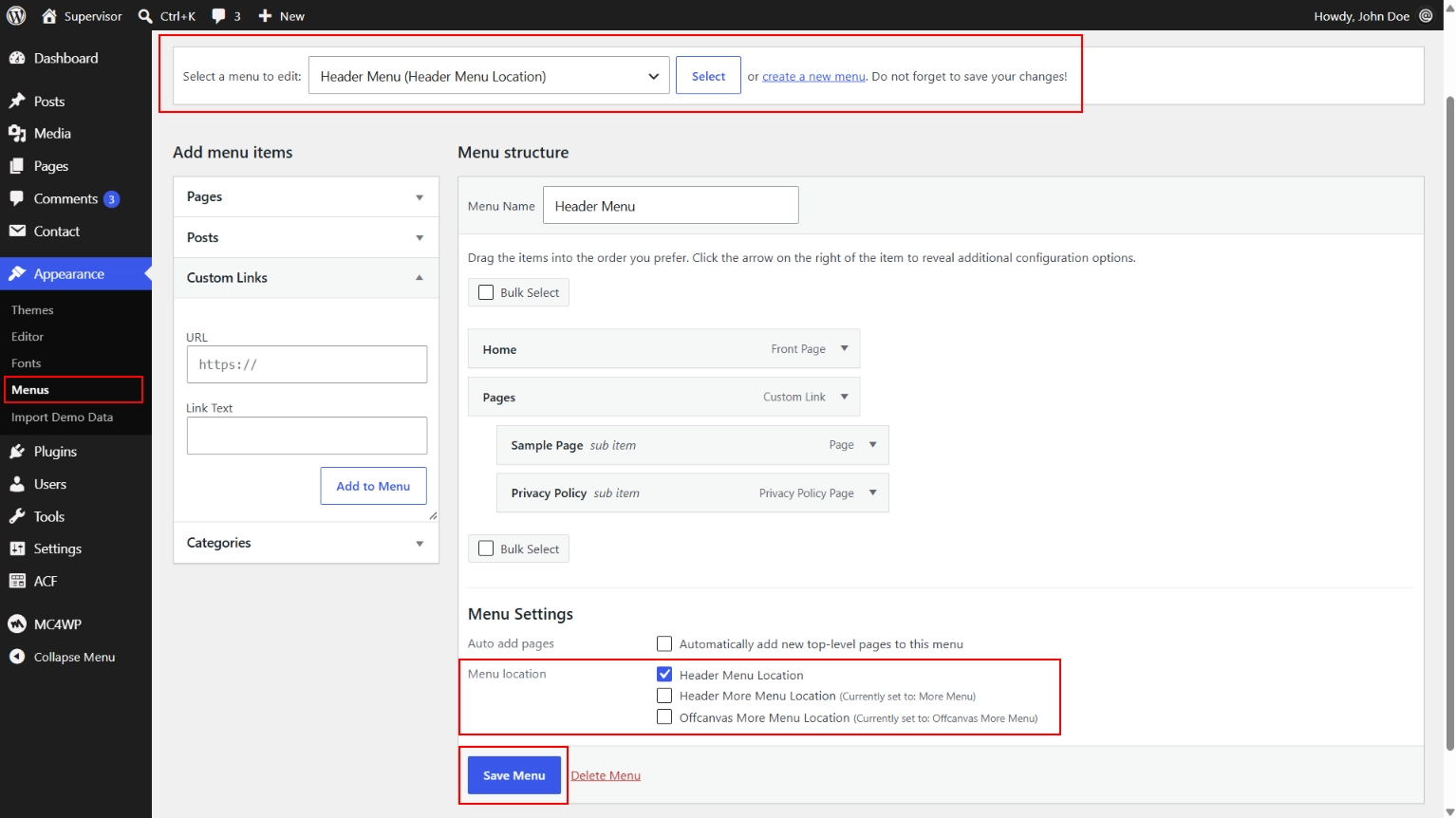
Site Menu
The Supervisor theme supports multiple menu locations that control navigation in the site header and offcanvas menu. You can create and assign menus through the WordPress dashboard.
To manage your menus, navigate to Appearance → Menus in the WordPress dashboard. Create the required menus and assign them to the available locations.
If you imported the demo content, the menus and their assignments are already configured. Otherwise, you will need to create and assign them manually.
The theme provides the following menu locations:
-
Header Menu Location — the primary navigation menu displayed in the site header. The same menu is also used in the offcanvas navigation.
-
Header More Menu Location — an additional menu displayed as a separate button next to the primary navigation. It is intended for a single menu item, such as a link to a featured page or section.
-
Offcanvas More Menu Location — an optional additional menu displayed in the offcanvas navigation.